So, in the prior post, we patched OEM 13.5 to the latest RU, and made sure our database was patched.
Now, it’s time for the big task, upgrading to OEM 24ai!
Before we upgrade, we need to make sure that we also are not using any of the obsolete services;
- Plug-ins: Fusion Apps (FA)
- Target types: Exalogic, JBoss/WAS target types in the FMW plug-in
- Resource Usage metric groups that use OPMN as a data source in certain FMW target types
- Real User Experience Insights (RUEI) and RUEI-related EM features
- Discovery of Oracle Directory Server Enterprise Edition (ODSEE)
- Provisioning for Oracle Business Intelligence
For more details about the upgrade checkout the docs here; https://docs.oracle.com/en/enterprise-manager/cloud-control/enterprise-manager-cloud-control/24.1/emupg/prerequisites-upgrading-enterprise-manager-24.html#GUID-F6CFDFAD-D742-4644-A11A-4CBB5A6E8338
For my example, I already staged all the files in /u01/software/24ai_install. I already unzipped each of the 5 files.
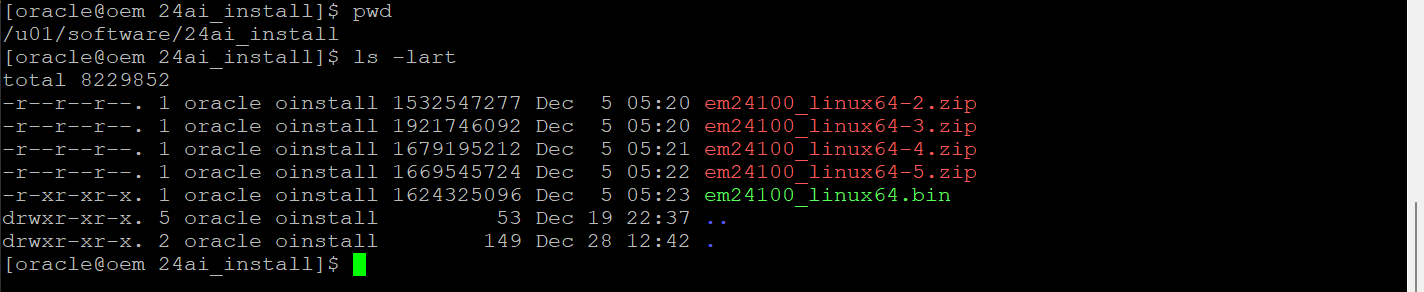
Let’s set some directories;
export OMS_HOME=/u01/app/oracle/middleware
export AGENT_HOME=/u01/app/oracle/agent/agent_inst
Backup the emkey
$OMS_HOME/bin/emctl config emkey -copy_to_repos -sysman_pwd Welcome1
$OMS_HOME/bin/emctl status emkey -sysman_pwd Welcome1
Undeploy the CSA plugin from the agent.
${MW_HOME}/bin/emcli login -username=sysman
${MW_HOME}/bin/emcli sync
${MW_HOME}/bin/emcli undeploy_plugin_from_agent -plugin=”oracle.sysman.csa” -agent_names=”ol8-em135.localdomain:3872″
# Check status of the undeploy.
${MW_HOME}/bin/emcli get_plugin_deployment_status -plugin=”oracle.sysman.csa”
Next, lets copy the oraInst.loc to /etc/
sudo cp /u01/app/oraInventory/oraInst.loc /etc/oraInst.loc
Now we need to make sure all the rpms are installed. OEM24 needs binutils and a few others.
dnf install -y make
dnf install -y binutils
dnf install -y gcc
dnf install -y libaio
dnf install -y libstdc++
dnf install -y sysstat
dnf install -y glibc-devel
dnf install -y glibc-common
dnf install -y libXtst
dnf install -y libnsl
Next, we will extract a fresh response file. This will be used to customize a response file for the environment, allowing for a silent upgrade.
To extract a default response file, we will run the following command from the directory we extracted the files in.
./em24100_linux64.bin -getResponseFileTemplates -outputLoc /u01/software/24ai_install/stage/
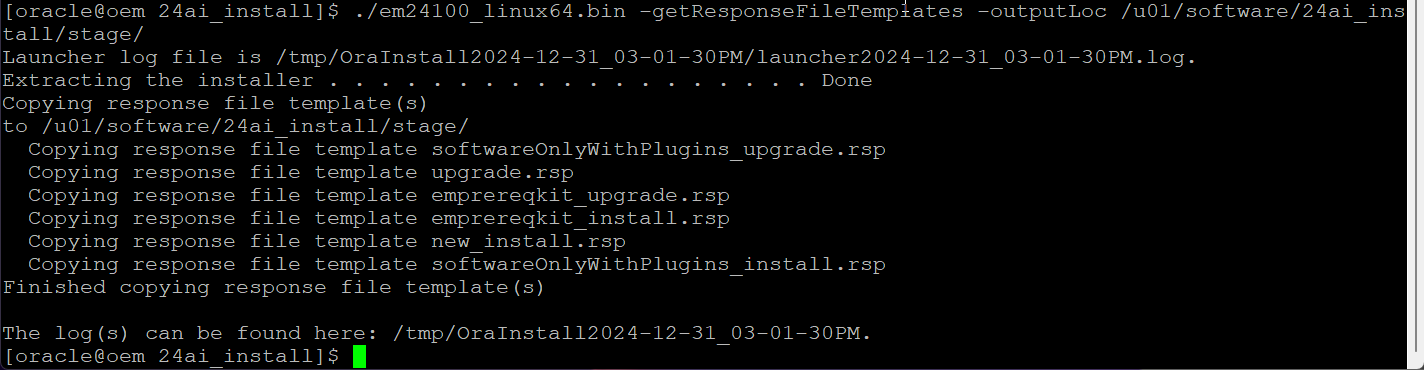
Now, when we look in the stage firectory, we will see a group of response files ( .rsp extension). For the upgrade we are interested in the upgrade.rsp file.
The main focus should be the following parameters;
SOFTWARE_DIR=/u01/software
UNIX_GROUP_NAME=oinstall
ORA_INVENTORY=/u01/app/oraInventory
ORACLE_BASE=/u01/app/oracle
MW_HOME=${ORACLE_BASE}/middleware24
OMS_HOME=${MW_HOME}
GC_INST=${ORACLE_BASE}/gc_inst
OLD_BASE_DIR=${ORACLE_BASE}/middleware
AGENT_BASE_DIR=${ORACLE_BASE}/agent
ORACLE_HOSTNAME=${HOSTNAME}
WLS_USERNAME=weblogic
WLS_PASSWORD=Welcome1
DATABASE_HOSTNAME=dbutil.m57.local
LISTENER_PORT=1521
PDB_NAME=oem13
SYS_PASSWORD=Welcome1
SYSMAN_PASSWORD=${WLS_PASSWORD}
You can either set these in the .rsp file, or create a new .rsp file with these parameters.
Next, we will unset the Java CLASSPATh, and make the .bin executable;
unset CLASSPATH
chmod u+x em24100_linux64.bin
mkdir -p /u01/app/oracle/agent24
mkdir -p /u01/app/oracle/middleware24
Next we need to make some database changes, so from the database you’ll need to make a few changes;
sqlplus / as sysdba
— Recommended minimum settings.
alter system set “_allow_insert_with_update_check”=true scope=both;
alter system set session_cached_cursors=200 scope=spfile;
— Recommended: processes=600
alter system set processes=600 scope=spfile;
— Unset the adaptive optimizer settings that were set for 13c as they are not needed now.
alter system reset “_optimizer_dsdir_usage_control” scope=both sid=’*’;
alter system reset “_optimizer_gather_feedback” scope=both sid=’*’;
alter system reset “_optimizer_nlj_hj_adaptive_join” scope=both sid=’*’;
alter system reset “_optimizer_performance_feedback” scope=both sid=’*’;
alter system reset “_optimizer_strans_adaptive_pruning” scope=both sid=’*’;
alter system reset “_optimizer_use_feedback” scope=both sid=’*’;
alter system reset “_px_adaptive_dist_method” scope=both sid=’*’;
alter system reset “_sql_plan_directive_mgmt_control” scope=both sid=’*’;
shutdown immediate;
startup;
–Set the job_queue_process to zero
alter session set container=em13c;
alter system set job_queue_processes=0;
exit;
Now we can check for the prerequisites with he following command. When it finished check out the prereqResultReport.html in the /tmp/OraInstall#### directory it created. Look carefully and address any issues. . It’s incredibly helpful if you have plugins * Like VT or OraChk) that are not compatible with 24ai and will need to be uninstalled before the upgrade.
./em24100_linux64.bin EMPREREQ_KIT=true -silent -responseFile /u01/software/24ai_install/upgrade.rsp
Once all the RED issues are fixed, and you understand the remaing issues you can run the upgrade!
./em24100_linux64.bin -silent -responseFile /u01/software/24ai_install/upgrade.rsp
Once the upgrade finishes ( and it will take a LONG time) , you will need to run the allroot.sh as the root user;
/u01/app/oracle/middleware2/oms_home/allroot.sh
Next up, lets reset the OMS _HOME
export OMS_HOME=/u01/app/oracle/middleware24/oms_home
Now, let’s reset some environmental to use the new homes;
export MW_HOME=${ORACLE_BASE}/middleware24
export OMS_HOME=${MW_HOME}/oms_home
export AGENT_BASE=${ORACLE_BASE}/agent24
export AGENT_HOME=${AGENT_BASE}/agent_inst
And resecure the EMKey
$OMS_HOME/bin/emctl config emkey -remove_from_repos -sysman_pwd Welcome1
Now, check /etc/oragchomelist to make sure only the new home is in the file, it should look like this;
[oracle@oem 24ai_install]$ more /etc/oragchomelist
/u01/app/oracle/agent/agent_24.1.0.0.0:/u01/app/oracle/agent/agent_inst
/u01/app/oracle/middleware24
Now you can start OEM 24!
$OMS_HOME/bin/emctl start oms
$AGENT_HOME/bin/emctl start agent
Pingback: Patching OEM13c, step1 of an upgrade to OEM 24ai - Tales from the Datacenter v2.0