


So I purchased purchased some refurbished Dell servers for my personal home lab. Three Dell 630s, each with a pair of new SSDs. This is from a new company that I have not worked with before, but being local and a havung a few good Google reviews, I thought they were worth using. More on that huge mistake later.
The servers shipped quickly, and since they were coming from Suwanne,GA I had them the next day.
So after having to reset the iDRAC ( they did not reset them) I was able to get started with an install. Flashed a USB and started an Oracle Linux install, and then…
No disks detected by the installed and also this error, one I have never seen before!
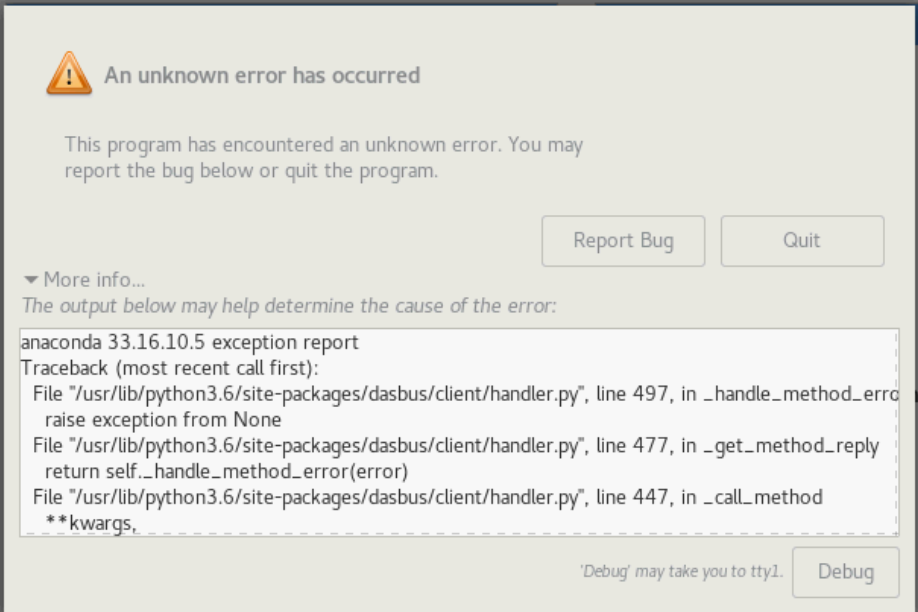
The full text of the error is bellow.
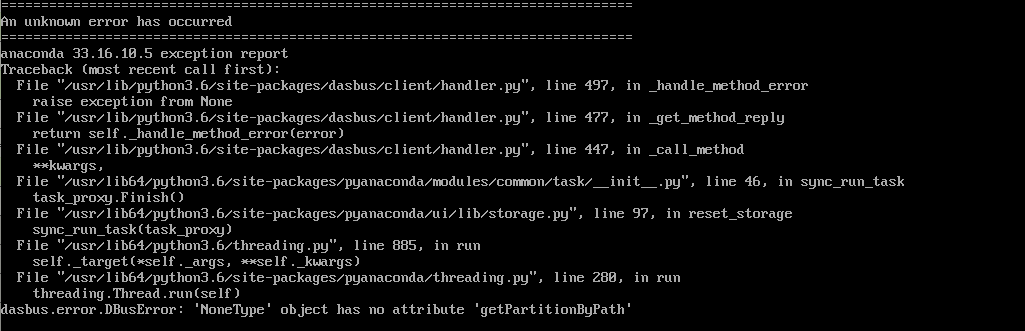
With the key error message,” Dasbus.error.DBusError ‘NoneType’ object has no attribute ‘getPartitionByPath’”
I also saw issues where only one of the two drives were seen by the installer, or no drivers were available. I even tried a few other distros, including Rocky Linux and SUSE. All with similar issues seeing the drives.
After way too much time researching this issue, I figured it out. The problem is duplicate UUIDs on the drives! A Universally Unique Identifier (UUID) is a 128-bit number that is unique to a file system on a Linux system and across other systems. UUIDs are often used to uniquely identify devices, and you should NEVER have duplicate UUIDs. You can use the command blkid $PATH_TO_DEVICE to see a drives UUID.

How did this happen? Apparently, the server company cloned the new drives using a master drive that was part of a Dell RAID array. Each disk was cloned from the same disk, causing all the disks to have the same UUID. My assumption is that since you should NEVER have duplicate UUIDs, Anacondra didn’t know how to deal with the issue so it errored out.
Now the fix…
I booted on a Linux system from a rescue USB, and then used fdisk to write a new clean GPT UUID on both drives. From the main menu in the format command us the g option to write the GPT info.
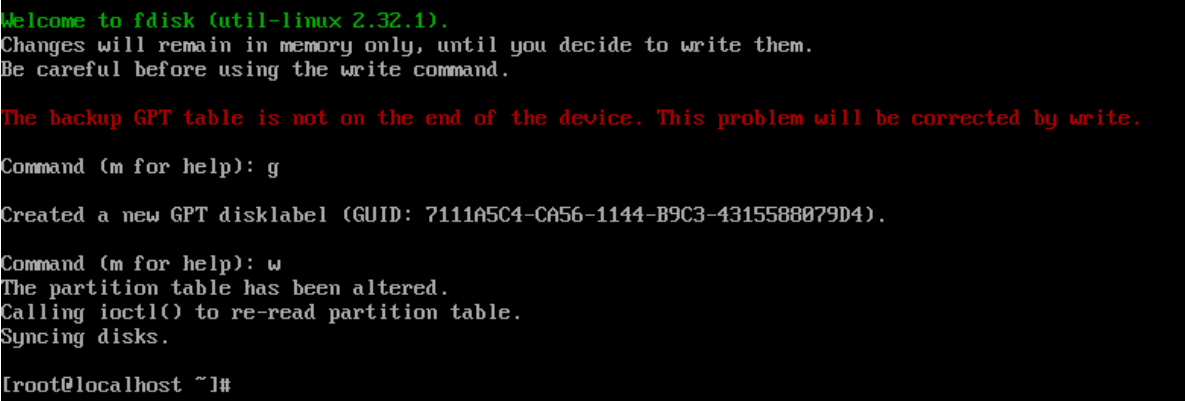
One the drives got fresh UUIDs, everything work as expected.
Now, on to the third server. It was DOA, and I just got a replacement drive controller replaced, and I finally see drives. At least I know the quick fix to the install issue. 🙂
